Cursor Best Practices
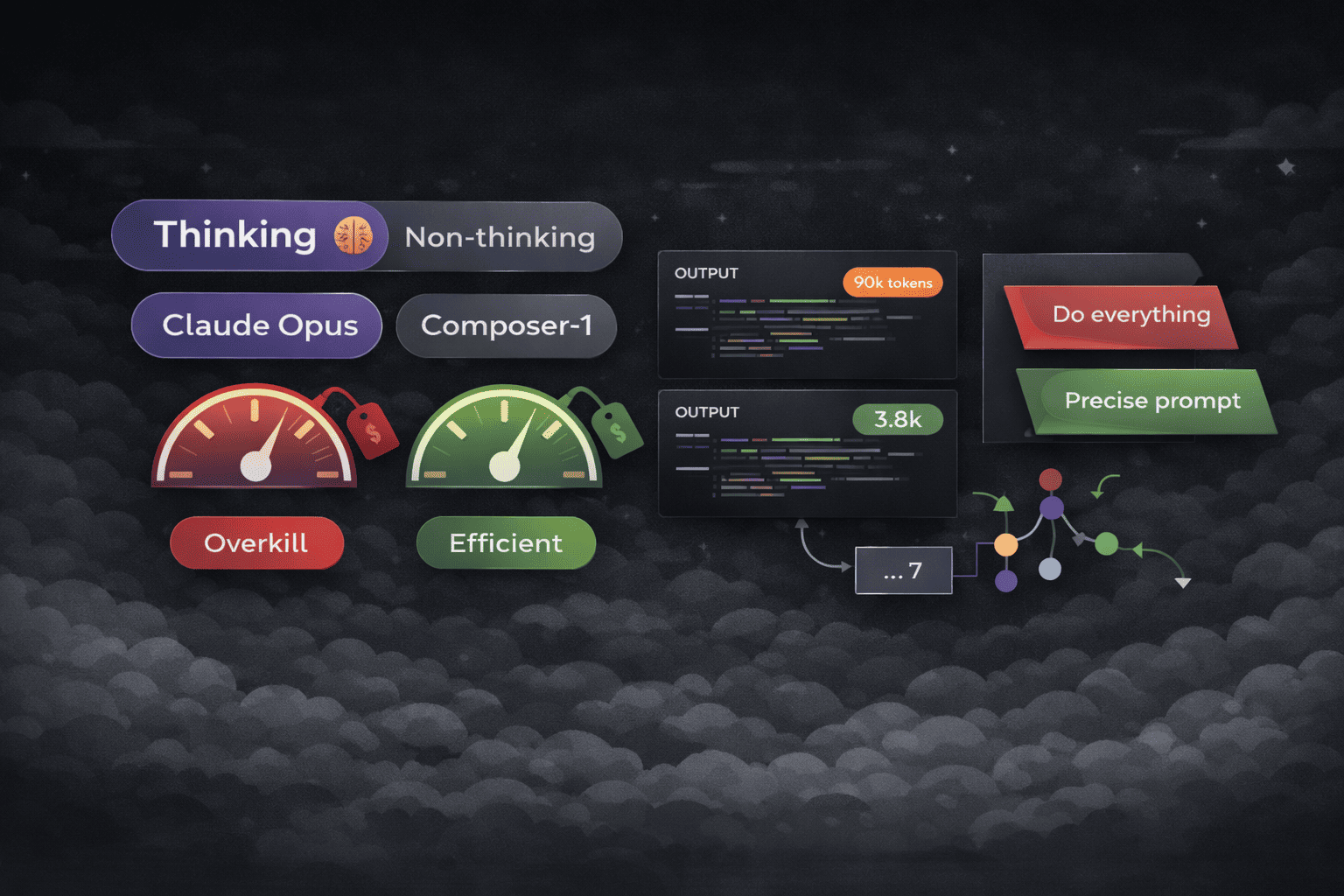
The Problem
My Cursor Pro+ plan renewed on Dec 15 ,within 7 days, my usage limit was over and I see below message on my chat window

I contacted cursor suport team to know how my usage was being charged, they replied that my usage was as below :
- claude-4.5-opus-high-thinking: $108.27
- composer-1: $1.34
- gpt-5.1-codex-mini: $0.06
The claude-4.5-opus-high-thinking model is extremely expensive and consumed nearly all my usage. Opus models with high thinking use significantly more tokens than other models like Sonnet 4.5 or Gemini. I went to the Cusor Pricing Page to understand how different models are charged and I did not understand one word token , on every price it was per token for ex : Auto consumes usage at the following API rates:
Input + Cache Write: $1.25 per 1M tokens Output: $6.00 per 1M tokens Cache Read: $0.25 per 1M tokens
It felt that token is some kind of currency for the LLM Models and prices are charged based on these tokens.
Tokens : How LLM's are billed
Before understanding tokens let's visit a Visualizer When we talk to AI, it may feel like it understands words.But that’s not true. AI does not read words but chunks of words called tokens But why can't AI models just use the text because they only understands numbers , so they break everything down into smaller chunks called tokens.
The complete LLM process looks like this:
- Tokenizer encodes input text into tokens
- LLM processes input tokens
- LLM produces output tokens
- Output tokens are decoded back into readable text
Why Tokens Matter
LLM Models are measued for speed and priced based upon the number of tokens. Faster Models generate more tokens per second and henced priced higher.
There are two types of tokens:
-
Input tokens
Prompt + files + conversation history -
Output tokens
Model response (more expensive)
As we keep having conversations with LLM models, the context window keeps increasing in size, and each model has a fixed limit on how much context it can handle. If we don’t branch off into a new chat when the task changes, token usage increases, costs go up, and the quality of the output starts to degrade.
Context Window : Claude Opus - 200k tokens , GPT-5.2 - 128k tokens
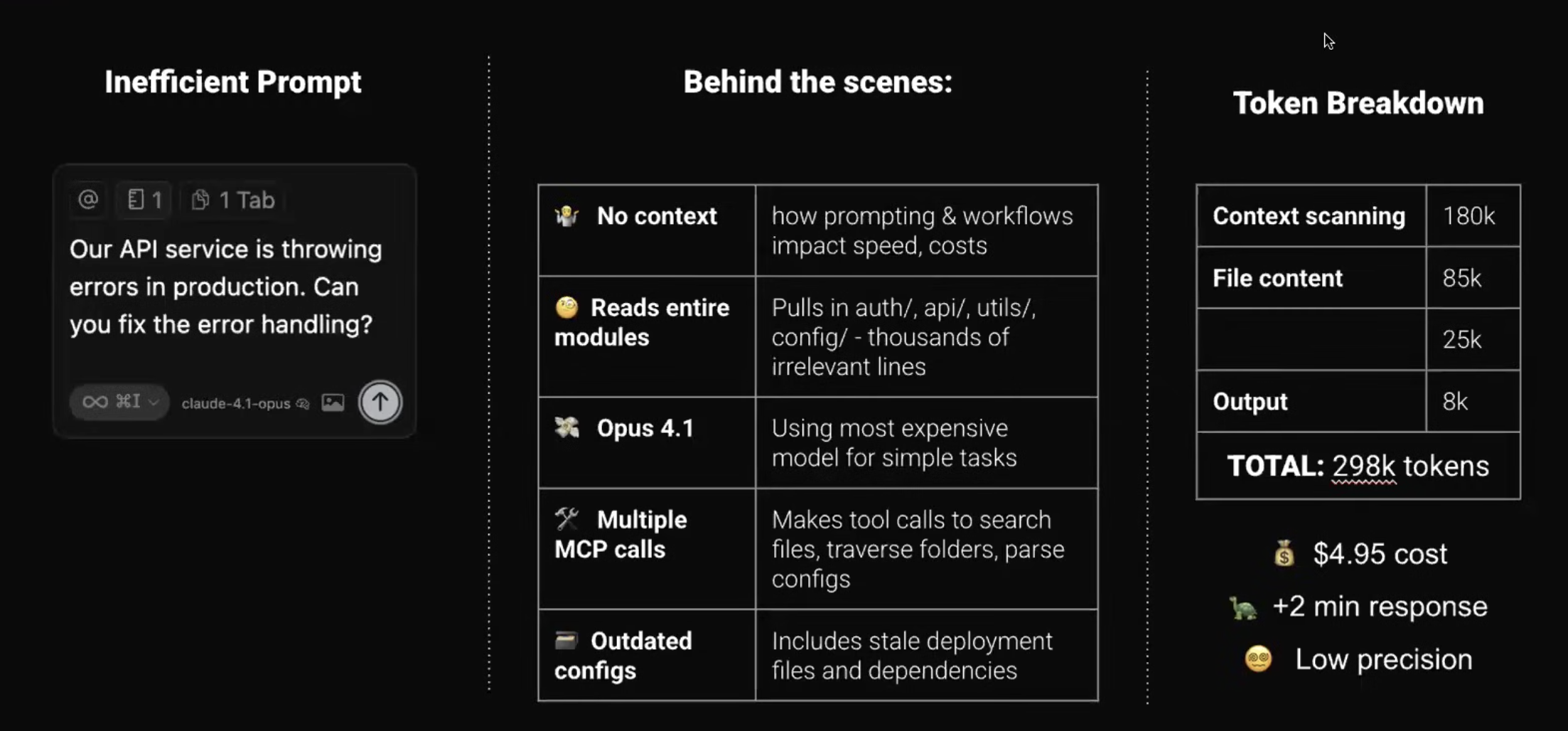
InEffective Prompt :
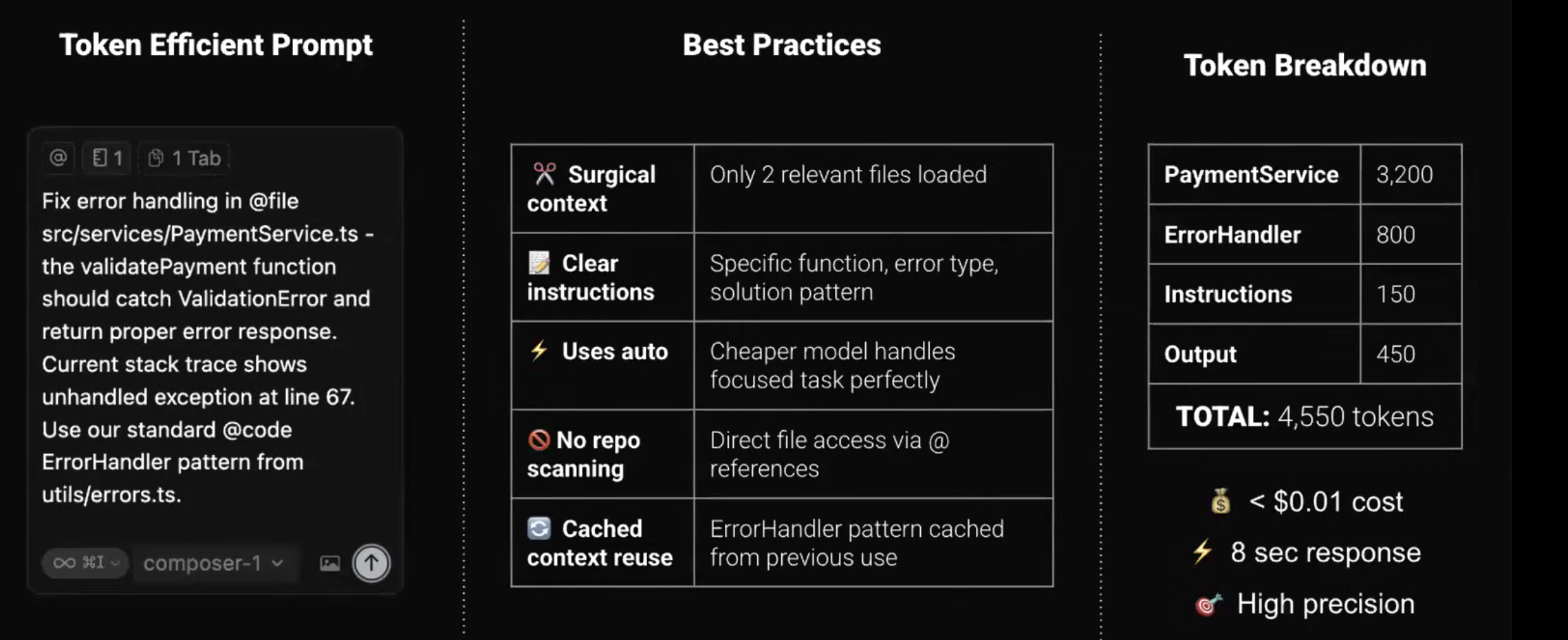
Effective Prompt :
Practical Tips
-
Start a new chat for every new task
Use Cmd + N to reset context and avoid unnecessary token usage. -
Understand model types
There are two types of models:- Thinking models (🧠 icon)
High-agency models. Good for complex reasoning and planning.
Slower and more expensive. - Non-thinking models
Low-agency, task-focused models.
Faster, cheaper, and more precise when instructions are clear.
- Thinking models (🧠 icon)
-
Use the right model at the right time
- Use thinking models (Claude Sonnet 4.5 🧠 / Opus 4.5 🧠) for planning.
- Once the plan is reviewed, switch to non-thinking models (Composer, Gemini 2.5) for execution.
-
Always set up Cursor rules
If a repo doesn’t have rules, generate them using this prompt
 Analyze this repository and create comprehensive
Cursor rules that capture:
- Code style and conventions used
- Architecture patterns
- Common workflows
- Framework-specific best practices
Review and refine the rules and save them 'New Cursor Rule' Command (Cmd+Shift+P)
Use Dictation instead of typing in the agent window